
Windows 强制开启移动热点
解决因所选网络波段不可用以及电脑未建立数据连接而无法开启Windows热点(5Ghz热点)的问题。
背景
在系统没有建立互联网(Internet)连接时,当我们尝试开启系统热点,Windows会提示“我们无法设置移动热点,因为你的电脑未建立以太网、Wi-Fi 或手机网络数据连接。”。
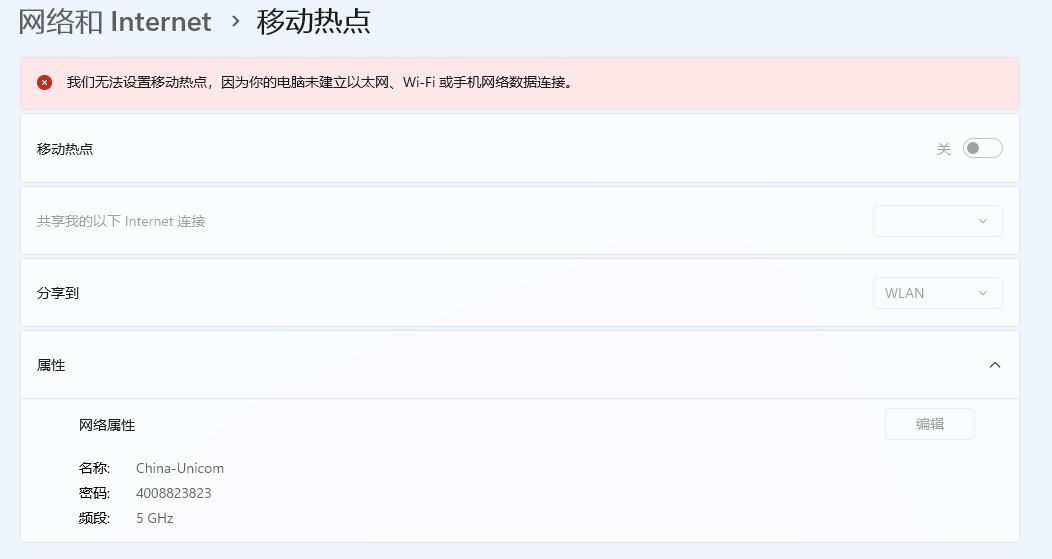
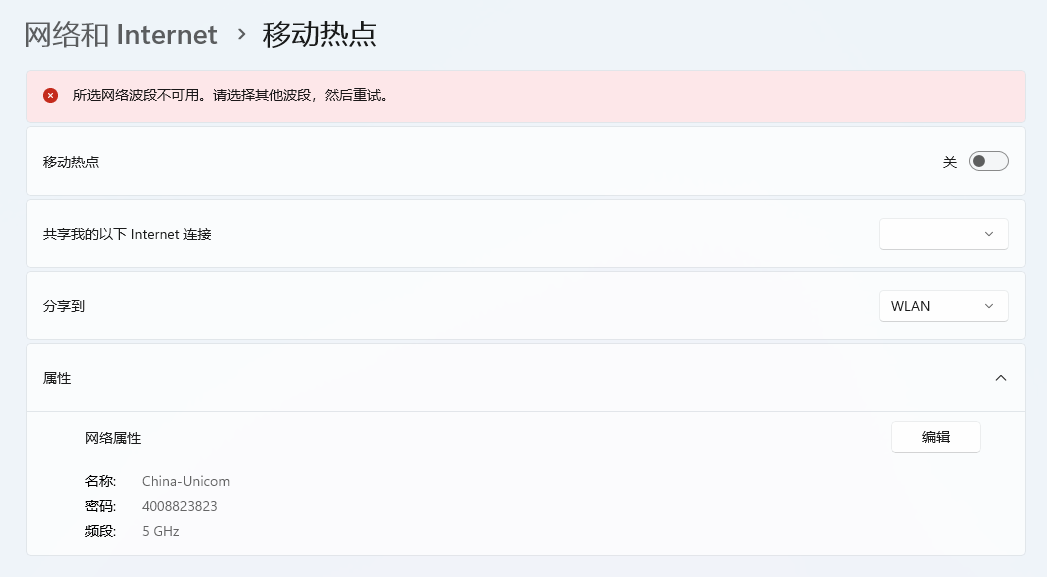
或者存在网络连接时,而没有连接5Ghz的WiFi(换句话说,你想开5Ghz的热点,就必须先连接5Ghz WiFi,简直就是脱裤子放屁。),系统同样会提示“所选网络波段不可用。请选择其他波段,然后重试。”,这种情况下只能开启传输速率较慢的2.4Ghz热点。
解决方案
解决无网络开启热点
对于这种情况,reddit已经有人给出了解决方案:Making a Windows 11 hotspot without an internet connection。具体操作步骤如下:
- 如果你电脑开启过Hyper-V或VMware虚拟机(存在已正常建立连接网卡,如虚拟网卡等)。则可以直接使用cmd执行以下命令进行开启热点(将以下内容的
vEthernet (内部)替换为需要共享的网卡名称;可以使用ncpa.cpl查看需要的网络连接名称)。powershell -ExecutionPolicy -ByPass "$profile = [Windows.Networking.Connectivity.NetworkInformation,Windows.Networking.Connectivity,ContentType=WindowsRuntime]::GetConnectionProfiles() | where {$_.profilename -eq 'vEthernet (内部)'}; $tether = [Windows.Networking.NetworkOperators.NetworkOperatorTetheringManager,Windows.Networking.NetworkOperators,ContentType=WindowsRuntime]::CreateFromConnectionProfile($profile); $tether.StartTetheringAsync()" - 如果不存在任何网络连接,需要在设备管理器
devmgmt.msc中,创建一个loopback网卡。具体流程如下:- 打开设备管理器
devmgmt.msc -
在设备管理器右上角
操作->添加过时硬件->安装我手动从列表选择的硬件(高级)(M)->网络适配器->Microsoft->Microsoft KM-TEST 环回适配器一路下一步,直至完成。 -
在网络连接
ncpa.cpl中,将Microsoft KM-TEST 环回适配器重命名为loopback -
重启电脑
-
使用
cmd执行以下命令即可完成热点开启。powershell -ExecutionPolicy -ByPass "$profile = [Windows.Networking.Connectivity.NetworkInformation,Windows.Networking.Connectivity,ContentType=WindowsRuntime]::GetConnectionProfiles() | where {$_.profilename -eq 'loopback'}; $tether = [Windows.Networking.NetworkOperators.NetworkOperatorTetheringManager,Windows.Networking.NetworkOperators,ContentType=WindowsRuntime]::CreateFromConnectionProfile($profile); $tether.StartTetheringAsync()"如果以上命令执行失败,可以尝试以下命令:
powershell -ExecutionPolicy Bypass "$connectionProfile = [Windows.Networking.Connectivity.NetworkInformation,Windows.Networking.Connectivity,ContentType=WindowsRuntime]::GetInternetConnectionProfile(); $tetheringManager = [Windows.Networking.NetworkOperators.NetworkOperatorTetheringManager,Windows.Networking.NetworkOperators,ContentType=WindowsRuntime]::CreateFromConnectionProfile($connectionProfile); $tetheringManager.StartTetheringAsync();"powershell -ExecutionPolicy Bypass "$connectionProfile = [Windows.Networking.Connectivity.NetworkInformation,Windows.Networking.Connectivity,ContentType=WindowsRuntime]::GetInternetConnectionProfile(); $tetheringManager = [Windows.Networking.NetworkOperators.NetworkOperatorTetheringManager,Windows.Networking.NetworkOperators,ContentType=WindowsRuntime]::CreateFromConnectionProfile($connectionProfile); $tetheringManager.StartTetheringAsync();"

# OR if you want to use it without having to enable wifi beforehand, follow the above steps THEN use this:

powershell -ExecutionPolicy Bypass "$connectionProfile = [Windows.Networking.Connectivity.NetworkInformation,Windows.Networking.Connectivity,ContentType=WindowsRuntime]::GetInternetConnectionProfile() | where {$_.profilename -eq 'loopback'}; $tetheringManager = [Windows.Networking.NetworkOperators.NetworkOperatorTetheringManager,Windows.Networking.NetworkOperators,ContentType=WindowsRuntime]::CreateFromConnectionProfile($connectionProfile); $tetheringManager.StartTetheringAsync();"

# If you want to be able to activate the hotspot without first having a wifi network connected to the windows device

powershell -ExecutionPolicy Bypass "$connectionProfile = [Windows.Networking.Connectivity.NetworkInformation,Windows.Networking.Connectivity,ContentType=WindowsRuntime]::GetInternetConnectionProfile() | where {$_.profilename -eq 'loopback'}; $tetheringManager = [Windows.Networking.NetworkOperators.NetworkOperatorTetheringManager,Windows.Networking.NetworkOperators,ContentType=WindowsRuntime]::CreateFromConnectionProfile($connectionProfile); $tetheringManager.StartTetheringAsync();"
- 打开设备管理器
强制开启5Ghz热点
通过修改WIFI国家码,以强制开启Windows的5Ghz热点。
今年早些时候,有人在Intel社区中给出了网卡测试工具Ant tools(下载intel ANT tool.zip即可),该工具允许强制修改无线网卡的国家码进行测试(2小时有效)。下载解压后,以管理员身份执行ant.exe -SetMcc US即可在不连接5Ghz WiFi的情况下开启5Ghz热点,缺点是只有两小时有效。
注:此解决方案目前只能解决Intel AX211及以前网卡,不支持BE200网卡。
此外,还有文章指出,可以修改注册表ForceMCC,也可以实现相同效果,参考reg文件如下。
Windows Registry Editor Version 5.00

[HKEY_LOCAL_MACHINE\SYSTEM\CurrentControlSet\Control\Class\{4d36e972-e325-11ce-bfc1-08002be10318}\0014]
"ForceMCC"=dword:00005355
"larEnabled"=dword:00000000
可能由于国家码格式发生变化,这里并没有在AX211上成功实现。
强制网络状态为“已连接”
对于微软的“贴心提醒”,我们可以修改系统相关配置,让系统认为我们存在Internet网络连接。
在组策略gpedit.msc中,在本地计算机策略:计算机配置>管理模板>所有设置(系统>Internet 通信管理>Internet 通信设置)页面下找到“关闭 Windows 网络连接状态指示器的活动测试”,将其设置为已启用;修改完成后在网络连接ncpa.cpl中重启(禁用并重新启用)相关网卡即可。

当然,对于没有组策略的用户,使用注册表文件同样有效。
Windows Registry Editor Version 5.00

[HKEY_LOCAL_MACHINE\SOFTWARE\Policies\Microsoft\Windows\NetworkConnectivityStatusIndicator]
"NoActiveProbe"=dword:00000001

文章有(1)条网友点评
Killer AX1650W,ant.exe -SetMcc US 还是不能启动5G热点,大家的都有效吗?